

Building a professional business website with Elementor is not just about creating attractive designs. A successful website requires proper planning, user experience, fast performance, and an SEO-friendly structure.
As a WordPress developer, Elementor is one of the tools I use to build business websites efficiently. It allows faster development while still providing enough flexibility for custom designs and advanced functionality.
In this guide, I will share my complete workflow for creating business websites using Elementor, from the initial planning stage to the final launch.
My Process to Build a Business Website with Elementor
Before starting development, I follow a structured process to make sure the website meets both business and user requirements.
| Stage | Main Focus | Goal |
|---|---|---|
| 1. Discovery | Understanding the business | Identify website goals and target audience |
| 2. Planning | Creating sitemap and content structure | Organize pages and user journey |
| 3. Design Setup | Colors, fonts, and global styles | Create consistent branding |
| 4. Development | Building pages with Elementor | Convert designs into a functional website |
| 5. Optimization | Speed, SEO, and responsiveness | Improve performance and usability |
| 6. Testing | Checking all features | Ensure a smooth launch |
Why I Use Elementor for Business Websites
Elementor is one of the most widely used WordPress page builders because it simplifies website creation while providing control over design and layout.
Some reasons I prefer Elementor:
| Feature | Benefit |
|---|---|
| Visual editor | Build pages without constantly switching between preview and editor |
| Responsive controls | Adjust designs for desktop, tablet, and mobile |
| Global settings | Maintain consistent colors and typography |
| Templates | Reuse sections across multiple pages |
| Plugin compatibility | Extend functionality when required |
For small businesses, startups, and service-based companies, Elementor provides a practical balance between development speed and customization.
Step 1: Understanding the Business Before Designing
Before opening Elementor, I first understand the business, customers, and website objectives.
A website should be designed around business goals, not just appearance.
| Business Type | Main Website Goal | Important Sections |
|---|---|---|
| Beauty Salon | Generate bookings | Services, Gallery, Reviews, Contact |
| Restaurant | Increase visits and orders | Menu, Location, Reservations |
| Construction Company | Build trust | Projects, Services, Testimonials |
| Online Store | Generate sales | Products, Categories, Checkout |
| Service Company | Generate enquiries | Services, Forms, About |
This planning stage helps decide the right website structure.
Step 2: Planning the Website Structure
Before development, I create a sitemap to organize important pages.
A typical business website includes:
| Page | Purpose |
|---|---|
| Homepage | Introduce the business and guide visitors |
| About Page | Build trust and explain company background |
| Services Page | Explain products or services |
| Portfolio Page | Showcase previous work |
| Blog | Share information and improve SEO |
| Contact Page | Help customers reach the business |
A well-planned structure improves user experience and makes SEO easier.
Step 3: Setting Up WordPress and Elementor
After planning the website, I prepare the WordPress environment.
My usual setup includes:
| Requirement | Purpose |
|---|---|
| Lightweight WordPress theme | Better performance |
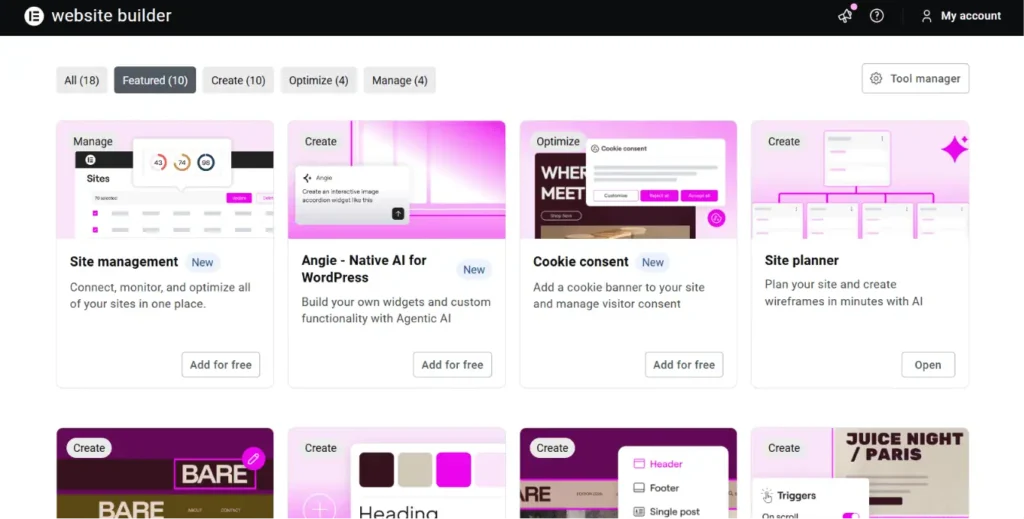
| Elementor | Page building and design |
| SEO plugin | Search engine optimization |
| Backup solution | Website safety |
| Security tools | Protection against common threats |
| Performance tools | Speed optimization |
I avoid installing unnecessary plugins because every additional plugin can increase maintenance requirements.
Step 4: Creating the Design System
Before designing pages, I create global design settings.
Global Colors
I define:
| Color Type | Usage |
|---|---|
| Primary Color | Main branding elements and buttons |
| Secondary Color | Supporting design elements |
| Text Color | Paragraphs and content |
| Background Color | Page sections |
Typography
I set:
| Element | Purpose |
|---|---|
| Heading Font | Creates visual hierarchy |
| Body Font | Improves readability |
| Font Sizes | Maintains consistency |
| Line Height | Improves user experience |
A consistent design system makes the website look professional.
Step 5: Building Header and Footer
The header and footer appear across the entire website, so they require careful planning.
| Section | Important Elements |
|---|---|
| Header | Logo, navigation menu, CTA button |
| Footer | Contact details, important links, social media, copyright |
A clear navigation system helps visitors find information quickly.
Step 6: Creating Pages with Elementor
When building pages, I focus on three important areas:
1. Clear Information Structure
Visitors should immediately understand:
- What the business does
- What services are offered
- What action they should take
2. Strong Call-to-Actions
Examples:
| Goal | CTA Example |
|---|---|
| Generate enquiries | Request a Quote |
| Book services | Book Appointment |
| Contact business | Get in Touch |
| Sell products | Shop Now |
3. Simple User Experience
I avoid unnecessary design elements and focus on helping users complete their goals easily.
Step 7: Making the Website Mobile Responsive
A website that looks good on desktop may not work properly on mobile.
Before launch, I check:
| Element | Mobile Check |
|---|---|
| Text | Is it readable? |
| Buttons | Are they easy to tap? |
| Images | Do they scale properly? |
| Sections | Is spacing comfortable? |
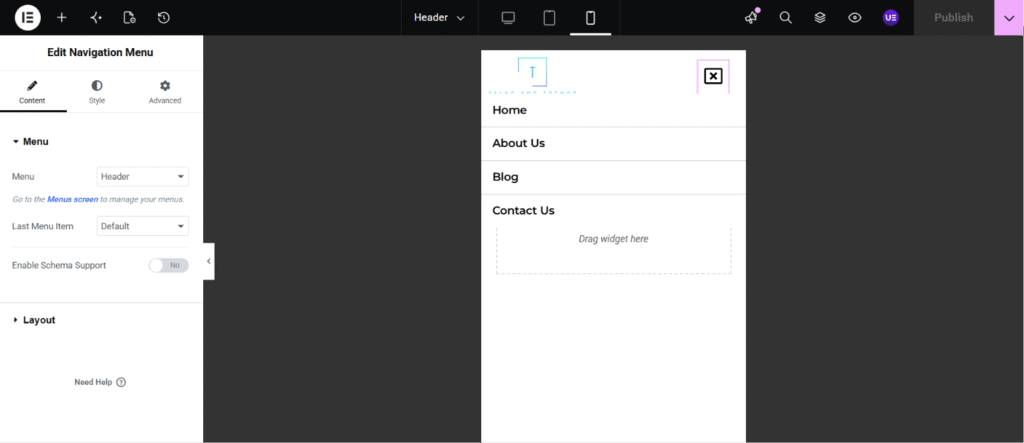
| Navigation | Is the menu easy to use? |
Mobile optimization is essential because many users access websites through smartphones.
Step 8: Improving Website Performance
A visually attractive website should also load quickly.
| Optimization Method | Benefit |
|---|---|
| Image compression | Reduces page size |
| WebP images | Improves loading speed |
| Cache setup | Faster page delivery |
| Plugin cleanup | Reduces unnecessary scripts |
| Optimized animations | Better performance |
Elementor websites can perform well when they are built with optimization in mind.
Step 9: Adding SEO Basics
SEO should be considered during development, not after the website is completed.
| SEO Element | Purpose |
|---|---|
| Page titles | Help search engines understand pages |
| Meta descriptions | Improve search visibility |
| Heading structure | Organize content |
| Image alt text | Improve accessibility |
| Internal links | Connect related content |
| Sitemap | Help search engines crawl pages |
Step 10: Website Testing Before Launch
Before publishing the website, I perform a final checklist.
| Category | Things I Check |
|---|---|
| Design | Desktop, tablet, and mobile views |
| Navigation | Menus and links |
| Forms | Contact forms and submissions |
| Performance | Loading speed |
| SEO | Titles, descriptions, indexing |
| Security | Updates and backups |
Testing prevents common issues after launch.
Common Mistakes I Avoid When Building Elementor Websites
| Mistake | Why It Is a Problem |
|---|---|
| Installing too many plugins | Can slow down the website |
| Ignoring mobile design | Creates poor user experience |
| Too many animations | Can distract visitors and affect speed |
| Designing before planning content | Creates unclear layouts |
| Ignoring SEO during development | Makes ranking harder later |
Frequently Asked Questions
1. Is Elementor good for building business websites?
Yes, Elementor is a good choice for business websites because it allows flexible designs, responsive layouts, and faster development.
2. Do I need Elementor Pro to build a professional website?
No, Elementor Free can handle many basic websites. Elementor Pro provides additional features like theme builder, dynamic content, and advanced widgets.
3. Is Elementor good for SEO?
Yes, Elementor websites can rank well when properly optimized with good content, fast loading speed, and correct SEO practices.
Final Thoughts
Elementor is a powerful tool for creating modern business websites, but the tool alone does not create a successful website.
A successful website requires:
- Proper planning
- Understanding customer needs
- Good design decisions
- Performance optimization
- SEO-friendly development
By following a structured Elementor workflow, businesses can create websites that look professional, perform well, and support their long-term growth.
Whether you are building a website for a small business, startup, or personal brand, focusing on user experience and functionality will always create better results.